
Most people find a cursive writing generator, use it once for their Instagram bio, and never think about it again.
That is a big mistake.
A cursive writing generator is way more useful than just making your social media look pretty. From tattoo planning to professional email signatures, from classroom tools to personalized gifts — cursive text has real, everyday uses that most people never even think about.
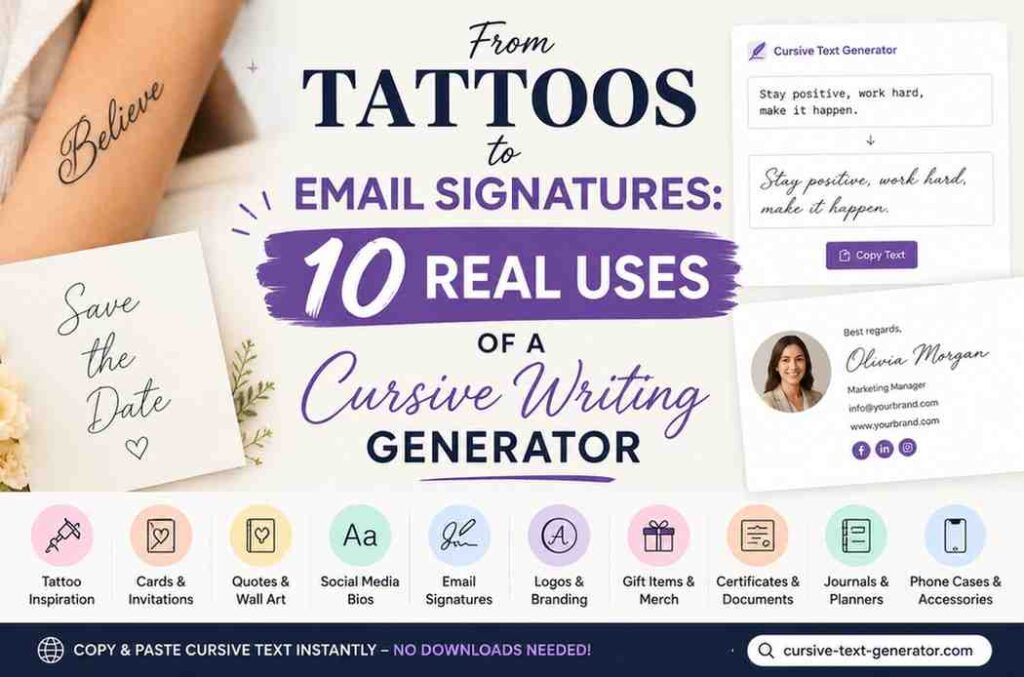
In this post, we will walk through 10 real and practical uses of a cursive writing generator. By the end, you will see this simple free tool in a totally new way.
What Is a Cursive Writing Generator? (Quick Answer)
A cursive writing generator is a free online tool that turns your normal typed text into beautiful, flowing cursive letters — instantly.
You type your word or sentence. The tool converts it into cursive. You copy it and paste it anywhere you want.
No app to download. No design skills needed. No subscription.
The cursive letters you get are actually special Unicode characters — not a font. That means they work on almost every app, website, and platform in the world. You can paste them into Instagram, WhatsApp, Gmail, Discord, YouTube, Word documents, and more.
Our free tool at cursive-text-generator.com gives you a vast variety of font styles to choose from — from classic elegant script to bold gothic fraktur — all in one place.
Now let’s look at the 10 best real-life uses.
1. Tattoo Font Inspiration
Yes, a cursive writing generator is one of the best free tattoo planning tools out there.
Picking the right font for a tattoo is serious. You are going to wear it forever. Most tattoo artists will show you some font options, but it can be hard to picture exactly how your word or name will look in cursive until you see it rendered out.
That is where a cursive writing generator helps big time.
You can:
- Type the exact word, name, or phrase you want tattooed
- Try it in multiple cursive styles — bold script, thin elegant script, gothic fraktur
- Compare them side by side
- Screenshot or save your favourite as an image
- Take it to your tattoo artist as a clear reference
The Fraktur and Bold Fraktur styles on our tool are especially popular for tattoo lettering. The Cursive Bold and Cursive Normal styles are perfect for name tattoos and word tattoos.
Pro tip: Use our “Save as Image” feature to download a PNG of your cursive text and bring it directly to your tattoo appointment.
2. Professional Email Signatures
Most email signatures look plain and boring. Black text. Simple layout. Nothing memorable.
Adding cursive to your email signature makes it look polished, elegant, and professional — like a real handwritten signature, but digital.
Here is how people use a cursive writing generator for email signatures:
- Convert your name into cursive and paste it at the bottom of your email
- Add your job title in a lighter cursive style underneath
- Use cursive for a tagline or closing phrase like “Warm regards” or “With gratitude”
Because our cursive text is made of Unicode characters, it pastes perfectly into Gmail, Outlook, Apple Mail, and almost every other email client — with no weird formatting issues.
It takes less than 60 seconds to create a cursive email signature. Type your name, pick a style you love, copy it, and paste it into your email settings.
This is one of the quickest ways to make your professional communication look more premium and personal.
3. Wedding and Event Invitations
Planning a wedding, birthday party, anniversary dinner, or any special event? Cursive text adds an instant touch of elegance and class to your invitations and announcements.
Most people spend a lot of money on printed invitations just to get that fancy script look. But if you are sending digital invitations — through WhatsApp, email, Instagram stories, or event apps — you can get that same beautiful cursive look for completely free.
Use a cursive writing generator to style:
- The event name (e.g., 𝒮𝒶𝓇𝒶𝒽 & 𝒜𝒹𝒶𝓂’𝓈 𝒲𝑒𝒹𝒹𝒾𝓃𝑔)
- Date and venue details
- The couple’s or guest of honor’s name
- RSVP messages and thank-you notes
You can also copy the cursive text into Canva or any graphic design tool to use it inside beautiful invitation designs — giving you that handcrafted look without paying for a calligrapher
4. Personalized Gifts and DIY Projects
Do you like making gifts for friends and family? Cursive text adds a special, handmade feel to so many DIY projects.
Popular DIY uses include:
- Mugs: Print a name or quote in cursive on a custom mug
- Photo frames: Add a cursive caption beneath a photo
- Tote bags: “coffee & kindness” in cursive looks great on a canvas bag
- Wall art: Quotes in cursive make beautiful home decorations
- Greeting cards: A handwritten-looking message without needing perfect penmanship
- Cake toppers: Cursive text printed and laminated makes stylish cake decorations
Many online print-on-demand services like Zazzle, Redbubble, or Printify let you upload text designs. You can generate your cursive text, take a screenshot, clean it up, and upload it as a design.
Example: For a best friend’s birthday, you could create a mug that says “World’s Best Human” in beautiful cursive. It looks personal and thoughtful — even if you used a generator to make it!
Quick Tip: For physical products, work with a graphic designer or use Canva to incorporate the cursive text properly before sending it to print.
5. Discord Server Names and Usernames
Discord is one of the biggest platforms in the world — and standing out there matters more than people realize.
Most Discord usernames and server names look the same. Plain. Default. Forgettable.
Using a cursive text generator for Discord lets you:
- Make your username look unique and stylish
- Give your server a beautiful, eye-catching name
- Add cursive channel names inside your server
- Write cursive messages in chats (yes, it works!)
Because Discord supports Unicode characters, the cursive text you generate copies and pastes perfectly. Other users do not need any special settings to see it — it just works.
This is one of the most popular uses of our tool, especially among gamers and community builders who want their servers to look more professional or creative.
Example: Instead of a plain server name like “Art Community”, you can write it as 𝒜𝓇𝓉 𝒞𝑜𝓂𝓂𝓊𝓃𝒾𝓉𝓎 — instantly more elegant.
6. School Projects and Presentations
Yes — students use cursive text generators too!
Whether you are making a title slide for a presentation, adding a heading to a school poster, or decorating a creative writing project, cursive text can make your work look more polished and impressive.
Student uses for cursive text:
- Title slides in PowerPoint or Google Slides
- Headers on posters and visual displays
- Section titles in digital reports
- Name plates on class projects
- Decorative headings in English or Art class
Teachers often appreciate when students put extra care into the presentation of their work. A nicely styled title goes a long way.
Example: A history project about ancient Egypt with the title “𝒯𝒽𝑒 𝐿𝑒𝑔𝒶𝒸𝓎 𝑜𝒻 𝒫𝒽𝒶𝓇𝒶𝑜𝒽𝓈” in cursive immediately looks more like a real report than plain Arial text.
7. Journaling and Digital Planners
Digital journaling and planning has exploded in popularity — apps like Notion, GoodNotes, and Obsidian have millions of users who love customizing their personal spaces.
Adding cursive headings and labels to your digital journal or planner makes it feel more personal, beautiful, and motivating to use.
Here is how people use a cursive writing generator for journaling:
- Section headers: Style your journal sections with cursive headings like 𝒢𝓇𝒶𝓉𝒾𝓉𝓊𝒹𝑒 or 𝑀𝑜𝓇𝓃𝒾𝓃𝑔 𝒫𝒶𝑔𝑒𝓈
- Mood trackers: Label your moods or habits with cursive text for a softer, more aesthetic feel
- Quote banners: Start each week with a motivational quote written in beautiful cursive
- Cover pages: Create styled cursive titles for monthly or weekly planner covers
- Sticky notes and callouts: Add cursive-styled highlights inside notes for visual interest
Because the text is just plain Unicode characters, it pastes directly into Notion, Obsidian, Apple Notes, and most other note-taking apps — no formatting needed.
8. Business Branding and Marketing Copy
Small business owners and freelancers are always looking for ways to make their brand feel more premium — without spending thousands on a designer.
Cursive text is a shortcut to a more elegant, high-end brand feel. And a cursive writing generator makes it accessible to anyone.
Here is how businesses use cursive text in their marketing:
- Taglines and slogans: Present your business tagline in cursive in email newsletters, social posts, and website banners
- Product names: Add a cursive-styled product name to social media posts to make launches feel more luxurious
- Testimonial quotes: Display customer reviews in cursive text inside quote graphics for a premium editorial look
- Newsletter headers: Style your email newsletter subject lines or section titles with cursive for a more refined appearance
- Etsy and handmade business listings: Cursive text in product descriptions signals craftsmanship and quality
This works especially well for businesses in beauty, fashion, wellness, food, weddings, coaching, and any brand that wants to communicate elegance or warmth.
You do not need a graphic designer to achieve this look. A free cursive text generator and a basic tool like Canva is all you need.
9. Meaningful Quotes and Captions
This one is simple — and incredibly powerful.
A great quote in plain text looks ordinary. The exact same quote in beautiful cursive looks like art.
Whether you are sharing a quote on your own Instagram, posting it in a WhatsApp group, using it as a phone wallpaper caption, or sending it as a message to someone you care about — cursive text makes words feel more meaningful and beautiful.
Popular uses for cursive quotes and captions:
- Instagram captions: Write your post caption in cursive to give it a poetic, premium look
- Story text overlays: Copy cursive text and paste it into your Instagram or WhatsApp story caption
- Motivational messages: Send a friend an uplifting message written in elegant cursive
- Phone wallpaper text: Add a favourite quote in cursive to a wallpaper you create
- Facebook and LinkedIn posts: Stand out in feeds with styled cursive text in your post copy
The best part? It takes literally five seconds. Type your quote, choose a style, copy it, paste it wherever you want. That is all.
10. WhatsApp Messages, Text Messages, and Chat Apps
This one surprises a lot of people — but it is one of the most fun uses!
You can actually send cursive text in WhatsApp messages, iMessages, Telegram chats, and many other messaging apps. Because the cursive text is made of Unicode characters (not images), it sends just like regular text.
Why people do this:
- To make a birthday message feel extra special
- To write a sweet anniversary or love message
- To send a creative “good morning” text
- To wish someone good luck in a unique way
- Just for fun, to surprise friends and family
Example: Instead of texting “Happy Birthday! Hope your day is amazing!” — imagine sending: “𝐻𝒶𝓅𝓅𝓎 𝐵𝒾𝓇𝓉𝒽𝒹𝒶𝓎! 𝐻𝑜𝓅𝑒 𝓎𝑜𝓊𝓇 𝒹𝒶𝓎 𝒾𝓈 𝒶𝓂𝒶𝓏𝒾𝓃𝑔!”
That is the kind of text that makes someone smile.
Frequently Asked Questions (FAQs)
❓ What is a cursive writing generator?
A cursive writing generator is a free online tool that converts regular text into cursive-style Unicode characters. You type your text, and it instantly shows you how it looks in cursive. You can then copy and paste it wherever you need it.
❓ Is cursive text made of real fonts or images?
The cursive text generated by tools like cursive-text-generator.com is made of Unicode characters — special text symbols that look like cursive letters. This means they can be copied and pasted as text, not as images. However, they may look slightly different depending on the device or platform.
❓ Can I use cursive text on Instagram?
Yes! Instagram supports Unicode characters, so you can paste cursive text into your bio, name field, captions, and even comments. It is one of the most popular uses of a cursive text generator.
❓ Is the cursive writing generator free?
Yes. Cursive-text-generator.com is completely free to use. There is no sign-up, no payment, and no download needed.
❓ Can I use cursive text in WhatsApp?
Yes, in most cases! Cursive Unicode text can be sent through WhatsApp, Telegram, iMessage, and other chat apps. The recipient’s device needs to support Unicode characters to display it correctly.
❓ Can I use this for my tattoo design?
Absolutely. Many people use a cursive generator as inspiration for tattoo fonts. You can generate the text, show your tattoo artist the style you like, and they will hand-draw or trace it professionally.
❓ Does cursive text work in email signatures?
Yes, for most email clients. Unicode cursive characters work in Gmail, Outlook, and Apple Mail. Just paste it into your signature and test it by sending yourself a test email.
❓ What if the cursive text shows as boxes or symbols?
This happens when a device does not support the specific Unicode characters. Try a different cursive style from the generator, or use the text as an image instead (by taking a screenshot).
❓ Can I use it for Canva designs?
You can use it as a reference or paste it directly into Canva’s text boxes. However, for polished designs, it may be better to find a similar free font on Google Fonts and use that in Canva instead.
Final Thoughts
Cursive text has a timeless, beautiful quality that plain text just cannot match. It feels personal, artistic, and special — whether it is on a tattoo, an Instagram bio, a wedding invitation, or a WhatsApp message to your best friend.
And with a free cursive writing generator like cursive-text-generator, you do not need perfect handwriting or design skills to enjoy that beauty. You just type, copy, and paste.
So whether you are planning a tattoo, decorating your social media profile, creating a DIY gift, or adding a little style to your email signature — give it a try today!
Pingback: Cursive Font Copy and Paste vs Font Installation