
Introduction
Your wedding invitation is the very first thing your guests see before your big day. It sets the mood. It tells people what kind of wedding to expect. And most of all, it reflects you.
So, what makes a wedding invitation look truly elegant and special?
One word: cursive.
Cursive writing has been used on wedding invitations for hundreds of years. It feels romantic. It feels personal. It feels like someone actually cared enough to write it beautifully.
But here is the good news — you do NOT need to hire an expensive calligrapher. You do NOT need to buy any special software. You do NOT even need any design skills.
All you need is a free cursive generator, and your wedding invitations can look stunning in just a few seconds.
In this guide, you will learn exactly how to use a cursive generator for your wedding invitations — step by step — in the simplest way possible.
What Is a Cursive Generator?
A cursive generator is a free online tool that takes your normal typed words and turns them into beautiful, flowing cursive letters — instantly.
You just type your text. It converts it. You copy it. Done.
The text it creates uses special Unicode characters — which means the cursive letters work on almost every website, app, and platform. Instagram, Facebook, WhatsApp, email, and even printed designs that start as digital files.
Our free cursive text generator gives you different cursive styles to choose from. That means you can find the perfect look for your wedding, whether you want something elegant and classic, bold and dramatic, or soft and romantic.
Why Use Cursive Text for Wedding Invitations?
Here are the main reasons why couples love using cursive for their wedding stationery:
It looks professional and expensive — Cursive fonts instantly make any text look more high-end. Guests assume it took a lot of effort, even when it only took seconds.
It feels personal and warm — Handwriting-style fonts feel like someone wrote your name with care. That feeling matters on a wedding invitation.
It is completely free — Hiring a calligrapher can cost hundreds of dollars. A cursive generator costs nothing.
It works on digital AND printed designs — Whether you are sending digital invitations by email or designing a print file in Canva, cursive text works perfectly in both.
It saves a lot of time — No waiting, no designing from scratch. You type, copy, and paste. That is the whole process.
What Parts of a Wedding Invitation Can You Style with Cursive?
You can use cursive text for almost every part of your invitation. Here are the most popular sections couples use it for:
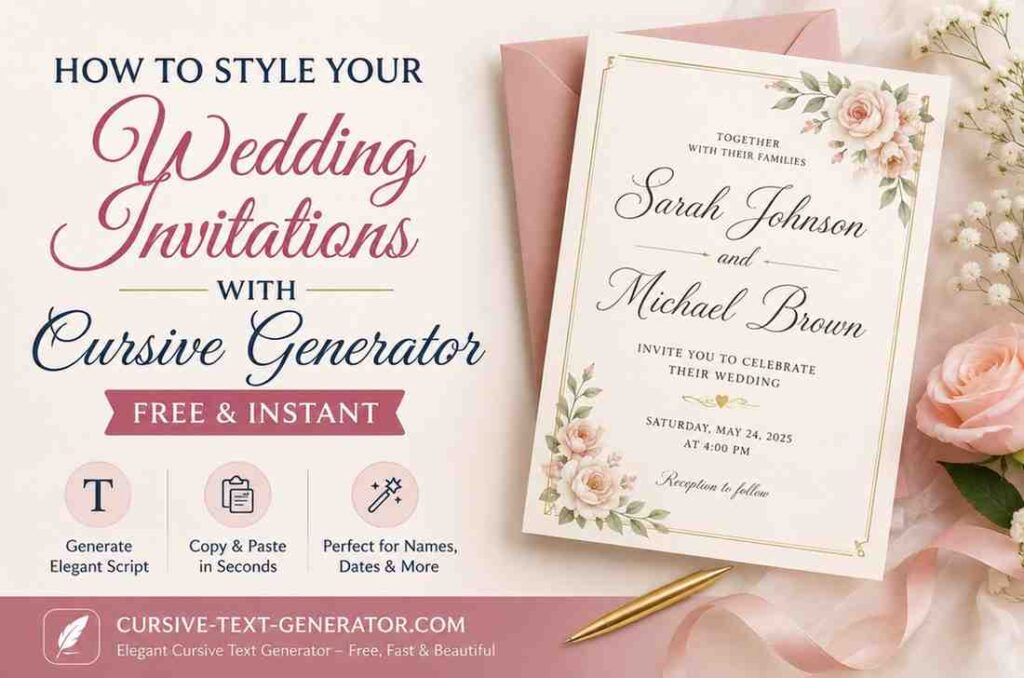
- The couple’s names — This is the most important. Your names in cursive at the top of the invitation look absolutely stunning.
- The date — Writing the wedding date in cursive adds elegance to even the simplest design.
- The venue name — A location written in cursive script feels more romantic than plain typed text.
- “Together with their families” — This traditional wedding phrase looks beautiful in a flowing cursive style.
- Save the date text — If you are sending early announcements, cursive makes them feel more special.
- Thank you card messages — After the wedding, use cursive for a personal, heartfelt touch.
- Wedding website headers — Add cursive text to your wedding website for a matching, cohesive look.
- Table names and seating cards — Use cursive to style table names at your reception.
Step-by-Step: How to Use the Cursive Generator for Wedding Invitations
This is the easy part. Follow these simple steps:
Step 1: Go to the Cursive Generator
Open your browser and visit cursive-text-generator.com — our free online cursive generator. No sign-up. No app download. No payment. Just open the page and you are ready.
Step 2: Type Your Wedding Text
Click on the text box and type whatever you want to style. For example:
- Your names: Sarah & James
- Your date: August 15, 2026
- A phrase: Together with their families
- Your venue: The Grand Rosewood Hotel
As you type, the tool instantly shows you your text in all 18+ cursive styles at the same time. You can see every option in real time — no waiting, no clicking.
Step 3: Choose Your Favourite Cursive Style
Browse through the styles and find the one that fits your wedding vibe. Here are the best styles for wedding invitations:
Cursive Normal — A light, flowing classic script. Perfect for romantic and elegant weddings. Clean and easy to read.
Cursive Bold — A thicker, more dramatic version of cursive script. Great if you want names to stand out boldly.
Italic Serif — A traditional, formal italic font. Best for classic, church, or black-tie weddings.
Fraktur Gothic — An old-world blackletter style. Beautiful for vintage or rustic wedding themes.
Sans Italic — A clean, modern slanted style. Great for minimalist or modern wedding designs.
Not sure which to pick? A good rule of thumb is this: if your wedding is traditional and formal, go with Cursive Normal or Italic Serif. If your wedding is creative or modern, try Bold or Sans Italic.
Step 4: Copy Your Cursive Text
Once you find the style you love, click the Copy button next to it. Your cursive text is now on your clipboard — ready to paste anywhere.
Step 5: Paste It Into Your Invitation Design
Now paste your cursive text wherever you need it:
- Canva — Paste directly into a text box in your Canva invitation design.
- Email — Paste into your email invitation to add an elegant touch.
- WhatsApp or Messenger — Send digital invitations with beautiful cursive text.
- Google Docs or Word — Paste into your document if you are designing a printable invitation.
- Wedding website — Paste into your website text editor for a polished header.
That is it. Five steps. Free. Done.
How to Style Your Couple Names in Cursive (Special Tip)
The most important text on any wedding invitation is the couple’s names. Here is a quick tip to make it look even more beautiful:
Use our cursive name generator to style each name individually. Type the first partner’s name, copy the cursive version you love, then do the same for the second name.
When you combine both names in the same cursive style with an & (ampersand) between them, the result looks like a professionally designed invitation.
Example:
- Type: Emma & Oliver
- Result in Cursive Bold: 𝓔𝓶𝓶𝓪 & 𝓞𝓵𝓲𝓿𝓮𝓻
This takes about 30 seconds and looks like it costs hundreds of dollars to create.
Cursive Generator for Digital vs. Printed Wedding Invitations
Many couples today send both digital and printed invitations. Here is how the cursive generator works for both:
Digital Invitations (Email, WhatsApp, Social Media)
Cursive generator text is made of Unicode characters. This means it copies and pastes perfectly into emails, WhatsApp messages, Instagram DMs, and any digital platform. The cursive letters display beautifully on the recipient’s screen — on any phone or computer.
If you have ever wondered how to write in cursive on Instagram or other platforms, check out our guide on how to write your name in cursive on Instagram — the same method works for wedding captions and announcements too.
Printed Invitations (Cards, Stationery)
For printed invitations, copy your cursive text and paste it into your design software — Canva is the easiest option. Since the Unicode characters render as text, they will display in whatever font Canva has available. For printed designs, you may want to also choose a cursive font inside Canva (like Great Vibes or Dancing Script) and type your text there using the cursive generator as a style reference and guide.
Pro tip: Use the cursive generator to quickly preview how your names and phrases look across different styles before you commit to a final design. It is much faster than changing fonts inside Canva one by one.
Frequently Asked Questions
Can I use a cursive generator for free wedding invitations?
Yes, completely free. Our cursive generator has no cost, no sign-up, and no limits. You can generate and copy as many styles as you need.
Does cursive text work on Canva?
Yes. You can paste Unicode cursive text directly into Canva text boxes and it will display correctly in digital designs. For print designs, use it as a style reference alongside Canva’s own font options.
Can I use cursive text on my wedding website?
Yes. Most wedding website builders (Zola, The Knot, Squarespace, Wix) accept Unicode text in text fields. Paste your cursive text directly into headings and descriptions.
What cursive style looks best for wedding invitations?
Cursive Normal and Bold Cursive are the most popular choices for wedding invitations because they are elegant and easy to read. Fraktur Gothic is great for vintage themes. Try a few styles and see what feels right for your wedding.
Can I download my cursive text as an image?
Yes. Our tool has a built-in “Save as Image” button that lets you download your cursive text as a PNG file. This is perfect for adding to invitation graphics or social media posts.
Does cursive text work on all phones?
Yes. Because cursive generator text uses Unicode characters, it displays correctly on all modern smartphones — iPhone and Android — without any special fonts or apps.
How many cursive styles can I choose from?
Our tool offers 18+ different cursive and script styles, including Cursive Normal, Cursive Bold, Italic Serif, Bold Italic, Sans Italic, Fraktur, Bold Fraktur, and several decorative styles.
Final Thoughts
Your wedding day is one of the most important days of your life. Every detail matters — including the words on your invitation and how they look.
Cursive text adds beauty, elegance, and a personal touch that plain typed letters simply cannot match. And with a free cursive generator, you can create that stunning look in seconds — no calligrapher, no designer, no expensive software needed.
Just type your words. Pick your style. Copy and paste. That is all it takes to make your wedding invitations look absolutely beautiful.
Pingback: Free Cursive Font Tools vs Paid: Which One Should You Use?