
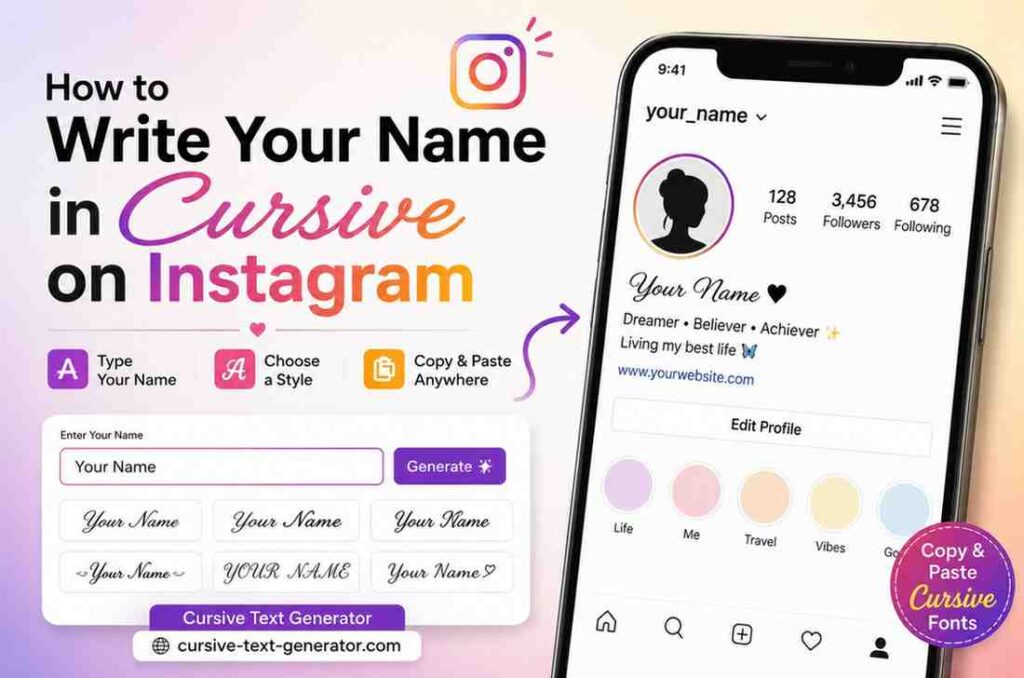
Want your Instagram name to look fancy and stand out? Here is the good news — you do not need any app or special skills.
Just follow these simple steps:
Go to cursive-text-generator.com
- Type your name in the text box
- Pick a cursive style you like
- Click Copy
- Open Instagram → Edit Profile → Paste into your bio or name field
- Hit Save — done!
That’s it! You don’t need any special app or skill. Instagram does not support cursive fonts on its own, but with a cursive writing generator, you can copy and paste cursive text anywhere on Instagram in just a few seconds.
Why Can’t You Just Type in Cursive on Instagram?
Instagram only lets you type in plain text. There’s no built-in option to change your font to cursive — not in your bio, not in your name, not even in your captions.
So how do people do it?
They use a cursive text generator — a free online tool that turns normal letters into special Unicode characters that look like cursive. These characters work on almost every platform, including Instagram, Twitter, TikTok, Facebook, and more.
The best part? You don’t need to download anything.
What Is a Cursive Name Generator?
A cursive name generator is a free tool that converts any text you type into cursive-style fonts using Unicode symbols.
Unicode is a universal text system that includes thousands of special characters — including letters that look like cursive handwriting. When you “copy and paste cursive fonts,” you’re not changing your font. You’re actually using special characters that look like cursive but work like normal text.
This means they show up on Instagram, in your bio, in DMs, and even in comments — without needing any app or hack.
Step-by-Step: How to Write Your Name in Cursive on Instagram
Here is a full, easy guide — even if you’ve never done this before.
Step 1 — Open the Cursive Text Generator
Go to cursive-text-generator.com on your phone or computer. The site loads fast and is free to use.
Step 2 — Type Your Name
Click on the text box and type your name. You’ll see it convert into cursive styles in real time as you type.
Step 3 — Choose Your Cursive Style
The tool shows several different cursive styles. Some are fancy and elegant. Some are bold. Some look more like handwriting. Pick the one that fits your personality.
Popular styles include:
- 𝒞𝓊𝓇𝓈𝒾𝓋𝑒 𝒮𝒸𝓇𝒾𝓅𝓉 — classic and elegant
- 𝓑𝓸𝓵𝓭 𝓒𝓾𝓻𝓼𝓲𝓿𝓮 — thick and bold
- 𝘐𝘵𝘢𝘭𝘪𝘤 𝘚𝘵𝘺𝘭𝘦 — slightly slanted, clean look
Step 4 — Copy the Text
Click the Copy button next to the style you like. The cursive version of your name is now on your clipboard.
Step 5 — Open Instagram
Now open the Instagram app on your phone.
Step 6 — Paste Into Your Bio or Name
Go to your profile page and tap Edit Profile. You’ll see two main fields:
- Name — shown at the top of your profile in bold
- Bio — a short description under your name
Tap either field, then long-press and tap Paste to insert your cursive name.
Step 7 — Save Your Changes
Tap Done or Save. Your profile will now show your name in cursive
Where Can You Use Cursive Text on Instagram?
You can use your copy and paste cursive fonts in many places on Instagram:
| Place | Can You Use Cursive? |
| Profile Name | ✅ Yes |
| Bio | ✅ Yes |
| Captions | ✅ Yes |
| Comments | ✅ Yes |
| Direct Messages | ✅ Yes |
| Username (handle) | ❌ No |
Important: Your username — the one with @ — only allows normal letters and numbers. You cannot use cursive there. But your display name and bio both work perfectly.
Does Cursive Text Work on All Phones?
Yes! This is one of the best things about using a cursive name generator.
Because the text uses Unicode characters, it looks the same on every device:
- ✅ iPhone (all models)
- ✅ Android (all models)
- ✅ Windows computers
- ✅ Mac computers
- ✅ Tablets
When someone visits your Instagram from any phone or computer, they will see your cursive name exactly the same way. No broken characters. No boxes. Just beautiful cursive text.
Frequently Asked Questions
Does Instagram allow cursive text?
Instagram does not have a built-in cursive font option. But you can use a cursive writing generator to create Unicode cursive text that you copy and paste directly into Instagram. It works perfectly and does not break any rules.
Is using a cursive text generator free?
Yes! Cursive name generator is 100% free. No sign-up needed. No downloads. Just type, copy, and paste.
Will cursive text show up on all devices?
Yes, in almost all cases. Unicode characters are supported by all modern phones and computers. Your cursive name will show up on iPhones, Android phones, Windows, and Mac.
Can I use cursive text in Instagram captions?
Absolutely. You can paste cursive text into captions, comments, DMs, your bio, and your name field. Just generate your cursive text and paste it wherever you want.
What if the cursive text looks like boxes or symbols?
This can happen on very old devices that don’t support certain Unicode characters. Try a different cursive style from the generator — some styles use more widely supported characters.
Can I write in cursive on Instagram Stories?
Instagram Stories have their own built-in font options, including a handwriting-style font. But for your bio and captions, the cursive text generator is the best option.
Final Thoughts
Writing your name in cursive on Instagram is easier than you think. You don’t need any special skills or paid apps. All you need is a cursive name generator like cursive-text-generator.com.
Just type your name, pick a style, copy it, and paste it into Instagram. In less than a minute, your profile will have a beautiful, stylish cursive name that stands out from the crowd.