
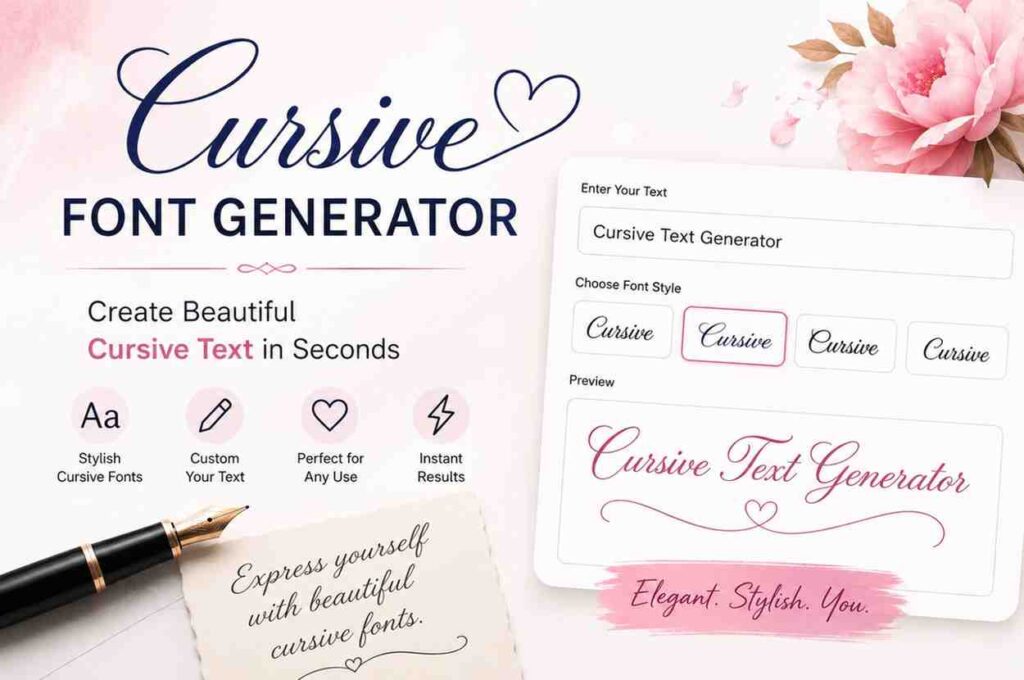
Have you ever seen those gorgeous flowing letters on someone’s Instagram bio or a fancy Pinterest board and wondered, “How do I get text that looks like that?” The answer is simple — a cursive font generator.
Whether you’re decorating a social media profile, designing a birthday card caption, or just want to add a personal touch to your messages, cursive text makes everything look more elegant and polished. And the best part? You don’t need to be a designer or install any software to use it.
What Is a Cursive Font Generator?
A cursive font generator is a web-based tool that takes your regular typed text and converts it into cursive-style characters using special Unicode symbols. These symbols look like handwritten cursive writing but are actually text characters, which means you can copy and paste cursive font output into places where you normally can’t change fonts, like Instagram, Twitter/X, TikTok bios, Facebook posts, and WhatsApp messages.
Unlike traditional fonts that require design software such as Photoshop or Microsoft Word, a cursive text gen works directly in your browser — no downloads, no sign-ups, no fuss.
At cursive-text-generator.com, you can generate dozens of cursive styles in real time and copy them with a single click
How Does a Copy and Paste Cursive Font Generator Work?
You might be wondering — if Instagram doesn’t allow custom fonts, how does this copy and paste cursive font generator even work? Great question!
The magic is in Unicode — the international standard for text encoding. Unicode contains thousands of special characters, including letter-like symbols that visually resemble cursive handwriting. When you paste these characters into any text field, the platform displays them as-is because they are standard text, not images or custom fonts.
1. Enter Your Text
Type any word, name, sentence, or message into the cursive font generator input field.
2. Generate Cursive Styles Instantly
Our tool automatically converts your text into a variety of stylish cursive and script-inspired formats in real time.
3. Choose the Perfect Design
Explore different text styles, including fancy cursive, bold script, italic text, decorative fonts, and more.
4. Copy and Use Anywhere
Click the copy button and paste your newly generated cursive text into social media profiles, bios, messages, websites, or creative projects.
Popular Cursive Text Styles You Can Generate
Not all cursive looks the same. A good cursive writer tool gives you a wide range of styles to match your mood and purpose. Here are the most popular ones you’ll find:
| Style Name | Sample Output | Best For |
| Classic Cursive | 𝒞𝓊𝓇𝓈𝒾𝓋𝑒 | Instagram bios, captions |
| Bold Cursive | 𝓒𝓾𝓻𝓼𝓲𝓿𝓮 | Headlines, names, titles |
| Italic Script | 𝘊𝘶𝘳𝘴𝘪𝘷𝘦 | Quotes, poetry, aesthetic posts |
| Double-Struck | ℂ𝕦𝕣𝕤𝕚𝕧𝕖 | Math, nerdy-chic content |
| Fancy Script | 𝐶𝓊𝓻𝓈𝒾𝓋𝑒 | Wedding invites, events |
These are just a few examples of the cursive typo styles available. The generator on our site offers even more combinations, so you’ll always find something that fits perfectly.
Where Can You Use Cursive Text? (More Than You Think!)
A Cursive Font Generator is more than just a styling tool—it helps you create eye-catching text for social media, personal branding, creative projects, and online communication. Here are some of the most popular ways people use cursive text:
Instagram & TikTok Profiles
Enhance your bio with elegant cursive text to make your profile more attractive, memorable, and unique.
WhatsApp & Telegram Messages
Add a personal and stylish touch to your chats, greetings, celebrations, and special messages.
Invitations & Greeting Cards
Create beautiful digital invitations, birthday cards, wedding announcements, and event designs with a handwritten appearance.
X (Twitter) Posts
Make important words and phrases stand out by using decorative cursive text in your posts and updates.
Gaming Names & Usernames
Design a distinctive gaming nickname with stylish cursive characters that help you stand out from other players.
Blogs & Creative Content
Use cursive text for headings, quotes, captions, and creative writing to add elegance and visual appeal to your content.
Graphic Design Projects
Incorporate stylish cursive fonts into posters, banners, social media graphics, and branding materials for a professional look.
Personal Notes & Messages
Turn ordinary text into beautiful handwritten-style messages for friends, family, and loved ones.
Why Use a Cursive-Text-Generator.com Instead of Writing by Hand?
Writing in actual cursive by hand is a beautiful skill — but it doesn’t translate to digital screens easily. Here’s why a cursive text generator is often the smarter choice in today’s digital world:
✅ Works on Any Platform
Because the output is made of Unicode characters (not images), your cursive text will display correctly on virtually every website, app, or social platform — including Instagram, Facebook, Discord, YouTube, and more.
✅ No Design Skills Needed
You don’t need to know Photoshop, Canva, or any design tool. The cursive writer tool does all the heavy lifting — just type and copy.
✅ Completely Free
Our copy and paste cursive font generator at cursive-text-generator.com is 100% free to use, with no hidden fees, subscriptions, or watermarks.
✅ Instant Results
There’s no waiting. The moment you type, your cursive typo appears — you can see multiple styles simultaneously and choose the best one in seconds.
✅ Cross-Device Compatible
Use it on your phone, tablet, or desktop. The cursive text gen works smoothly on all screen sizes and operating systems.
Common Questions About Cursive Font Generators (FAQ)
Is a cursive font generator really free?
Yes! Our cursive font generator at cursive-text-generator.com is completely free. No sign-up, no subscription, no catch. Just type, generate, and copy.
Why doesn’t the cursive text look right on some platforms?
Most modern platforms fully support Unicode characters, so cursive text displays perfectly. However, a few older systems or apps may show the letters as boxes. In those cases, try a simpler cursive style from the generator that uses more commonly supported characters.
Can I use the cursive text generator on my phone?
Absolutely. The cursive text gen works seamlessly on all smartphones, whether you’re on iOS or Android. Open the site in your mobile browser, type your text, and copy-paste it directly into any app.
Is cursive text the same as italic text?
Not exactly. Italic text simply slants letters to the right, while cursive text uses script-style characters that look like flowing handwriting. A cursive writer tool creates the latter — the result looks far more stylish and handcrafted than standard italic.
Can I use cursive typo for my logo or brand name?
You can definitely use cursive text generated by this tool for digital branding — social bios, email signatures, digital designs, etc. For a printed or professional logo, we recommend working with a graphic designer who can create a proper vector file.
How many cursive styles are available?
Our cursive font generator offers a wide collection of styles, including classic cursive, bold script, italic cursive, fancy script, and more. New styles are added regularly, so there’s always something fresh to try.
Final Thoughts
A cursive font generator is one of the simplest and most satisfying tools you can add to your digital toolkit. Whether you’re crafting the perfect Instagram bio, sending a heartfelt birthday message, building a gaming persona, or just exploring your creative side — cursive text adds an undeniable touch of elegance and personality.
With our free copy and paste cursive font generator at cursive-text-generator.com, you get instant access to a wide range of beautiful cursive typo styles, a powerful cursive writer experience, and results you can use anywhere, all without spending a single rupee or dollar.
Pingback: How to Style Your Wedding Invitations with Cursive Generator
Pingback: Playful vs Elegant Cursive Fonts — Choosing the Right Style